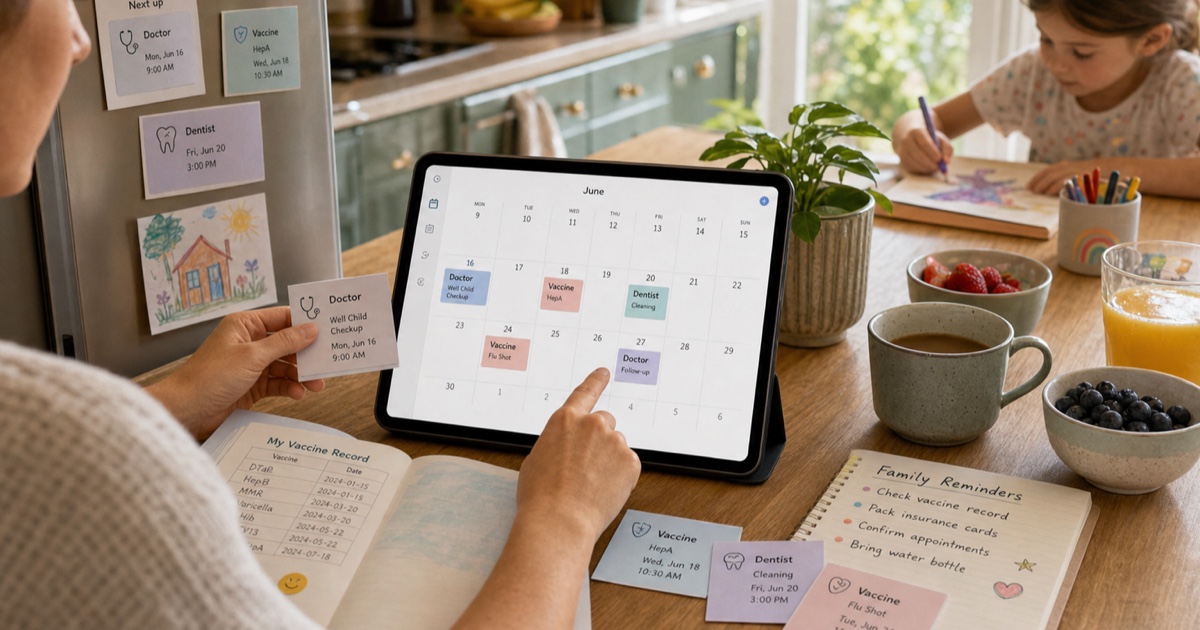
Family healthcare is full of small dates that matter: a pediatric checkup next Tuesday, a vaccine booster in six months, a dental cleaning after school, a lab result follow-up, or a specialist referral with a narrow booking window. Each one may arrive on a different piece of paper, email, portal message, or text reminder.
When those dates stay scattered, the family calendar becomes fragile. A unified healthcare calendar helps parents, caregivers, and partners see what is coming, prepare the right documents, and avoid missed appointments.
Why Medical Dates Are Easy to Miss
Healthcare reminders rarely arrive in one consistent format. A doctor may hand you an appointment card, a clinic may send a PDF, the pharmacy may print a vaccine schedule, and a lab may publish follow-up dates in an online portal. Each source is useful on its own, but none of them becomes a reminder unless you transfer it into your calendar.
The risk grows when you coordinate care for several people. One child may need a school medical certificate, another may have orthodontic visits, and an older relative may need recurring blood tests. These appointments often come with preparation instructions, documents to bring, or timing rules that are easy to forget.
A medical calendar does not replace professional advice or official records. It simply makes the practical schedule visible, reviewable, and shareable.
Build a Family Healthcare Calendar
1. Capture Every Healthcare Source
Start by gathering appointment cards, vaccine schedules, prescription renewal dates, referral letters, lab follow-up notes, insurance deadlines, and portal screenshots. Include recurring care such as physiotherapy sessions, therapy appointments, dental checkups, and annual visits.
Use the most recent version of each document. If a clinic reschedules an appointment, keep the updated confirmation and ignore older reminders so you do not create duplicate events.
2. Convert Dates into Calendar Events
With PhotoCalia, you can photograph an appointment card or upload a screenshot, PDF, or image. The service reads the date, time, location, and title, then prepares calendar events for review.
Review each event before saving it. Healthcare documents may contain multiple dates, such as the appointment time, the referral date, and the document issue date. Keep only the dates that need action in your calendar.
3. Add Details That Help on Appointment Day
A useful healthcare event should include more than "doctor." Add the professional's name, clinic address, phone number, floor or room number, and the documents you need to bring.
Event notes are ideal for practical context:
Insurance card, referral letter, vaccination record, or lab form to bring
Fasting instructions or medication timing reminders
Parking, entrance, or accessibility details
Questions to ask during the visit
Follow-up action after the appointment
Keep sensitive medical details minimal in shared calendars. If several family members can access the calendar, use notes for logistics and keep private health information in the official patient portal or medical record.
4. Set Reminders Around Preparation
Some appointments need more than a ten-minute alert. A vaccine visit may require bringing a health booklet. A blood test may require fasting. A specialist appointment may require previous exam results.
Use two reminders when preparation matters: one the day before to gather documents, and one before leaving home. For recurring treatments, create repeating events only after confirming the schedule with the provider.
Organize by Person and Type of Care
Color-coding makes a family healthcare calendar easier to scan. You can use one color per family member, or one color per care type such as routine checkups, dental care, vaccines, lab tests, and administrative deadlines.
For families sharing one calendar, include the person's first name in the event title: "Maya - Dentist," "Sam - Vaccine booster," or "Grandma - Lab follow-up." This keeps the calendar readable in notification previews.
If you prefer separate calendars, create one healthcare calendar per person and share only the ones that caregivers need. This gives more control over privacy while still keeping reminders visible.
Keep Records and Calendars in Sync
After each appointment, update the next step immediately. If the doctor gives you a new follow-up card, convert it before leaving the clinic or as soon as you get home. If the provider sends a portal message later, compare it with the existing event and update the calendar if needed.
Do a quick monthly review for vaccines, renewals, and recurring appointments. This is especially useful before school registration, travel, sports seasons, or annual checkups, when several health documents may be requested at once.
A Calmer Way to Coordinate Care
Healthcare logistics are easier when dates stop living in pockets, paper folders, and screenshots. A clear family medical calendar helps you prepare, arrive on time, and remember the next step. PhotoCalia includes 3 free conversions per month, so you can turn appointment cards, vaccine schedules, and medical reminders into calendar events before they disappear into another pile.
Related guides: read the broader guide to digitizing paper schedules, review supported formats on how PhotoCalia works, or compare PhotoCalia pricing for frequent family planning.