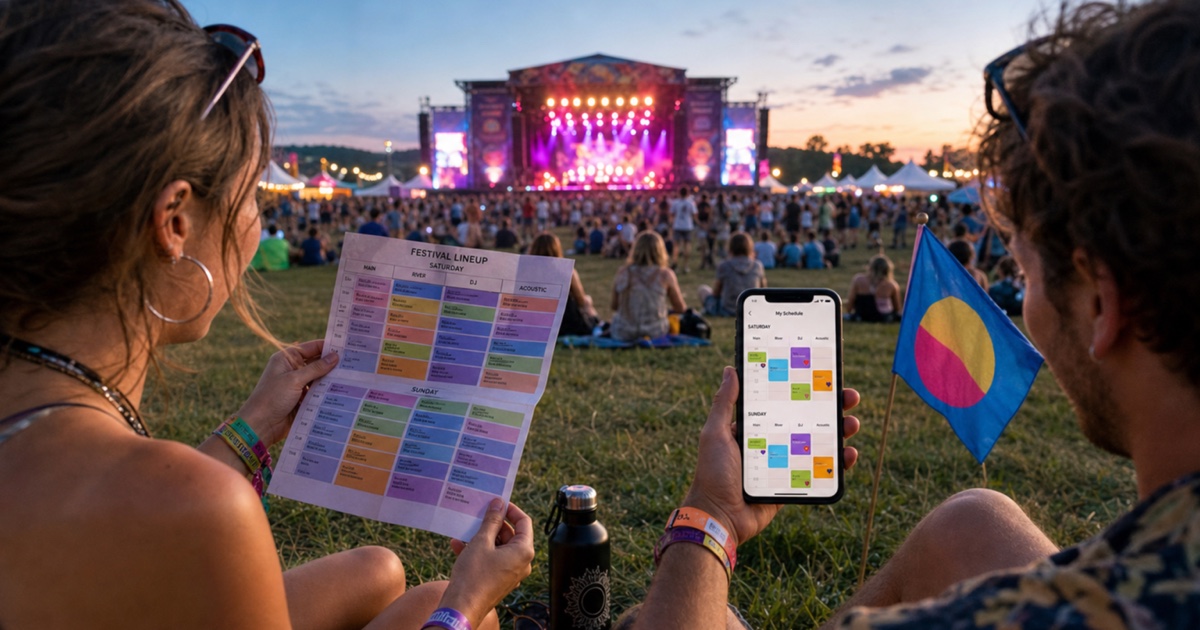
A festival lineup looks exciting on a poster and overwhelming once you try to follow it. Several stages run at the same time, favorite artists overlap, and the walk between venues may take longer than expected. By the second day, even a carefully highlighted paper schedule can become difficult to read.
Turning the official lineup into a personal calendar helps you focus on the performances that matter while leaving enough room to eat, recharge, and discover something unexpected.
Why Festival Lineups Are Difficult to Navigate
Festival schedules are dense by design. They compress dozens or hundreds of performances into a grid organized by day, stage, and start time. Mobile versions often require constant zooming, while printed guides become outdated when set times change.
The official schedule also does not account for your priorities. It shows every artist equally, even though you may have five must-see performances, a few optional choices, and several clashes to resolve.
A personal calendar removes that noise. Instead of scanning the full lineup every hour, you see only your selected sets, their stages, and the time available between them.
Create Your Personal Lineup Calendar
1. Start with the Latest Schedule
Use the festival's most recent official guide, PDF, or app screenshot. Check the publication date and look for schedule updates before converting anything. Multi-day festivals frequently adjust early set times, stage assignments, or opening hours.
If the lineup spans several pages, capture each day separately. Clear, straight images with visible stage names and time columns produce the most reliable results.
2. Convert Set Times into Calendar Events
Upload the schedule to PhotoCalia and review the extracted performances. Keep the artist name as the event title, the stage as the location, and the full set duration as the event time.
Delete acts you are certain you will skip. For possible discoveries, use a separate calendar color or add a symbol to the title so they remain visually distinct from must-see sets.
3. Resolve Clashes Before You Arrive
When two favorites overlap, compare more than their start times. Consider the distance between stages, expected crowd size, and whether one artist is performing elsewhere during the weekend.
If you plan to split two sets, create realistic event times rather than keeping both full performances. Add a reminder five or ten minutes before you need to leave so the transition does not depend on checking the clock in a crowd.
4. Add the Rest of the Festival Day
Performances are only part of the schedule. Add gates opening, transport departures, campsite check-in, meal breaks, meetups, and any booked activities.
Leave deliberate gaps. A calendar packed from opening to closing can turn a festival into a race between stages. Free periods give you time for queues, weather changes, and spontaneous discoveries.
Make the Calendar Useful On Site
Festival connectivity is not always reliable, so import the events into the native calendar on your phone before arriving. Confirm that they remain visible offline and enable only the alerts you genuinely need.
Include practical details in event notes:
The stage or venue name
The direction or landmark nearest the entrance
The friends joining that performance
A backup choice if the stage reaches capacity
Accessibility or viewing-area information when relevant
Use one color per stage if navigation is your main challenge, or one color per priority level if deciding what to skip is more important.
Keep Room for Schedule Changes
Check the official festival channel each morning and update only the events affected by changes. Avoid rebuilding your whole calendar unless the organizer publishes a completely revised lineup.
For a group, share your selected calendar without assuming everyone will follow the same route. Agree on a few fixed meeting points and let each person keep their own optional performances.
Spend Less Time Reading the Poster
A useful festival plan should guide you without controlling every minute. Convert the crowded lineup once, resolve the important clashes, and keep the rest flexible. PhotoCalia includes 3 free conversions per month, enough to turn each festival day into a clear calendar before the first performance begins.
Related guides: compare this with sports league scheduling, plan shared weekends with family reunion calendars, or review the full PhotoCalia workflow.