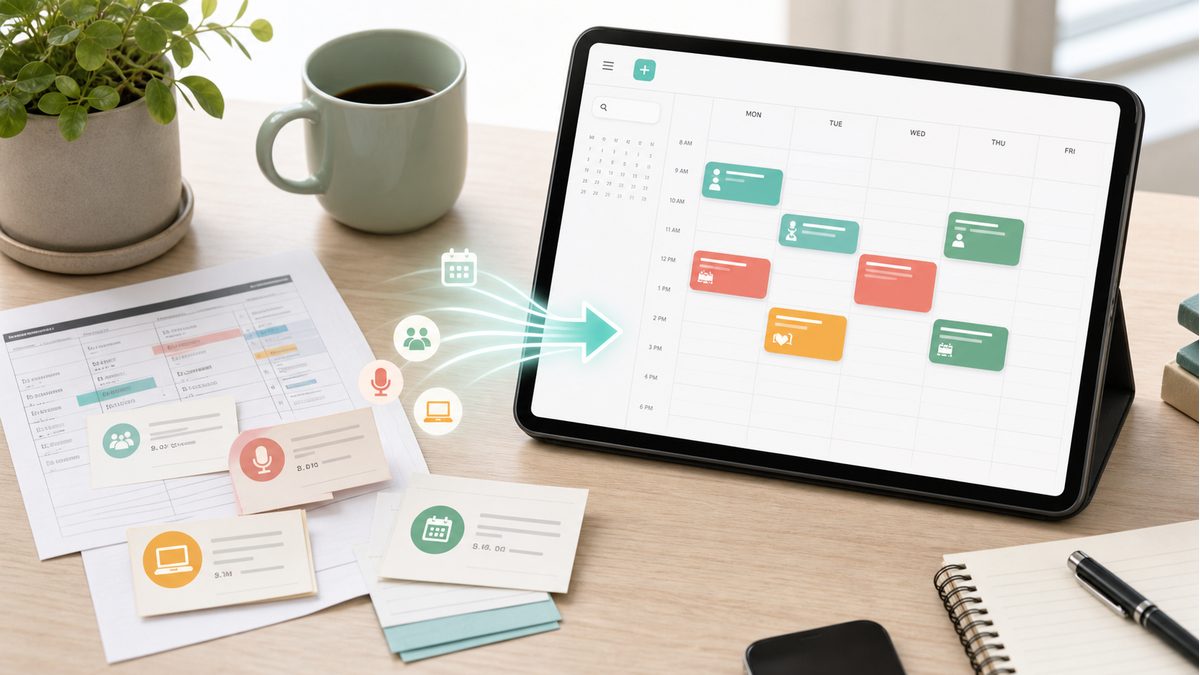
Paper appointment cards and printed schedules are still everywhere — from doctor's offices to school newsletters. The problem? They get lost, forgotten, or buried under a pile of papers. Here's how to digitize them into your calendar permanently.
The Paper Schedule Problem
Studies show that 23% of people miss appointments because they forgot to add them to their digital calendar. Paper reminders work great in the moment, but they fail the moment you leave the office or lose the card. The information exists — it's just trapped in the wrong format.
Manual digitization is the obvious solution, but it's time-consuming. Typing dates, times, and locations for each event adds up. For a weekly class schedule with 15+ time slots, you're looking at 10-15 minutes of tedious data entry.
3 Methods to Digitize Paper Schedules
Method 1: Manual Entry (Slowest)
Open your calendar app, create a new event, type the title, date, time, and location. Repeat for every event. This works but takes 1-2 minutes per event. For a full schedule, expect 15-30 minutes of work.
Method 2: Generic OCR Apps (Medium)
Use a general-purpose OCR app to scan the text, then manually copy-paste dates and times into your calendar. Faster than typing from scratch, but you still need to interpret and format the data yourself.
Method 3: AI-Powered Calendar Extraction (Fastest)
Tools like PhotoCalia combine OCR with AI understanding. Upload a photo of your schedule, and the AI not only reads the text but understands that '3:00 PM Tuesday' is an event that belongs in your calendar. It creates structured calendar events automatically — no manual formatting needed.
Who Benefits Most?
Parents managing school calendars, activity schedules, and appointment cards for multiple children
Students with printed class timetables, exam schedules, and campus event flyers
Professionals who receive meeting schedules, conference agendas, or business event invitations on paper
Anyone who receives appointment cards from doctors, dentists, mechanics, or service providers
Make Paper Schedules a Thing of the Past
The best time to digitize a paper schedule is the moment you receive it. With AI-powered tools like PhotoCalia, you can snap a photo and have calendar events ready in seconds. No more lost appointment cards, no more missed events.
Related guides: use the photo to calendar converter, learn how AI OCR understands event details, or see healthcare-specific tips for appointment cards and reminders.