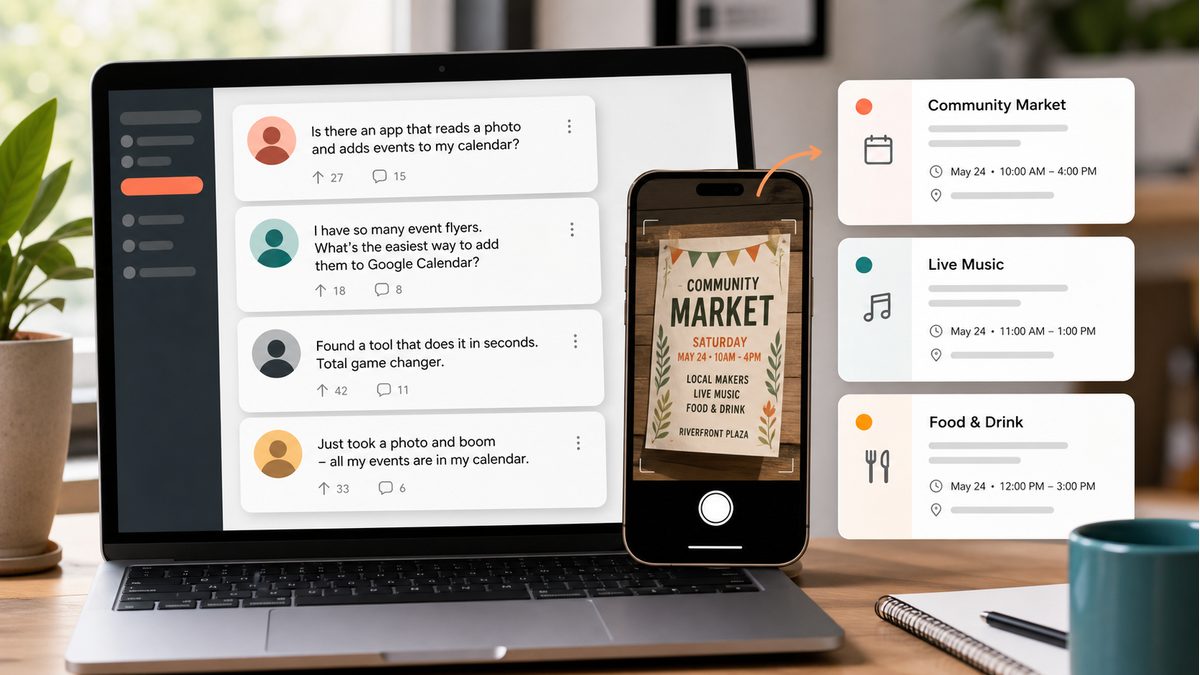
Ever snapped a photo of a flyer, appointment card, or school schedule and wished it would just appear in your Google Calendar? With PhotoCalia, it can — in about 30 seconds. Here's exactly how.
Why Convert Photos to Calendar Events?
We encounter calendar-worthy information everywhere: doctor appointment cards, concert posters, school newsletters, gym schedules, conference agendas. But manually typing each event into Google Calendar is tedious and error-prone. You might get the date wrong, forget the location, or simply never get around to it.
AI-powered photo-to-calendar conversion eliminates this friction entirely. You take a photo, the AI reads it, and your events are ready to save. No typing, no mistakes, no forgotten appointments.
Step-by-Step: Photo to Google Calendar
Step 1: Take a Photo or Screenshot
Use your phone camera to photograph any document containing event information — appointment cards, flyers, posters, schedules, or even WhatsApp messages with dates. You can also take a screenshot of a digital document. PhotoCalia supports JPG, PNG, and PDF formats.
Step 2: Upload to PhotoCalia
Visit photocalia.com and sign in with your Google account (takes 2 seconds). Then drag and drop your image into the converter, or tap 'Browse' to select it from your device. You can upload multiple images at once for batch processing.
Step 3: Review and Save Your Events
The AI analyzes your image and extracts event titles, dates, times, and locations. Review the results in a clean preview — edit anything that needs adjusting — then download your ICS file and import it into Google Calendar. Done!
Tips for Best Results
Use good lighting and avoid blurry photos — clear text gives the most accurate results
Crop your image to focus on the event details (remove unnecessary background)
For multi-page schedules, upload each page as a separate image for better accuracy
Always review the extracted events before saving — AI is very accurate but a quick check ensures perfection
What Can You Convert?
PhotoCalia works with virtually any image containing date and time information: doctor appointment cards, school event flyers, concert and festival posters, gym and yoga timetables, conference agendas, travel itineraries, delivery notifications, subscription renewal reminders, and more. If it has a date, PhotoCalia can extract it.
Start Converting Today
Stop letting events slip through the cracks. With PhotoCalia, converting a photo to Google Calendar takes less time than typing a single event manually. Try it free — 3 conversions per month, no credit card required.
Related guides: try the dedicated image to Google Calendar converter, learn how AI OCR extracts calendar events, or review PhotoCalia pricing if you need more monthly conversions.